
A Perch mod is a folder with a JSON manifest and a Luau file. The Luau creates widgets, declares the fields each one shows, places a display tree on each surface the widget can occupy, and feeds it data from the signals it connects to. Perch does the rest: layout, animation, priority between widgets, the settings page, the Workshop.
Every widget in Perch today (media, Discord, weather, the clock, the launcher) is written this way. There is no faster path a builtin has that your mod lacks.
The four ideas
Widgets and surfaces. A widget is a handle with one or more surfaces: surface.notch_primary (the collapsed pill when the widget is active), surface.notch_secondary (a chip beside another widget’s pill), surface.notch_ambient (a quiet pill when nothing else is going on), surface.page (a card in the expanded panel) and surface.transient (a popup that retracts). You create one with widget.new, place a tree on each surface, and register it. Widgets explains how widgets share the notch.
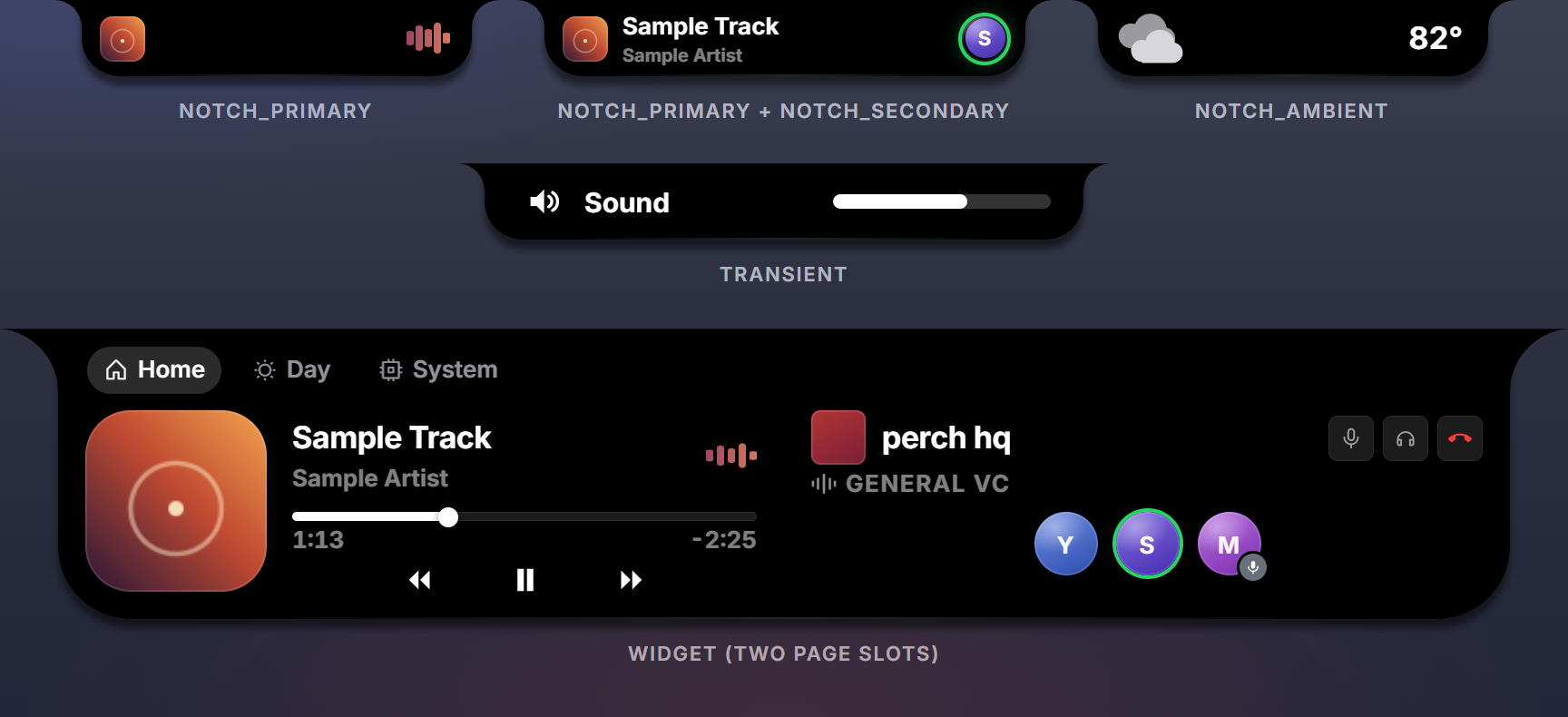
Displays. A display is a function of the widget’s field refs that returns a tree of ui.* builders. Named keys are props, the array part is the children, and there is no logic in it: a data prop takes a ref (text = f.title), an input prop takes a function (on_click = function(ctx) ... end). Perch validates the tree at load and repaints only the fields that change. Displays covers binding and inputs; Components lists every builder.
Presence and data. A widget shows nothing until your Luau says it has something: w:present(data). After that w:push(patch) updates fields and w:retire() takes it away. Your code computes finished values (strings, fractions, degrees); the tree binds them.
Signals and scopes. Every event is a signal you connect to: perch.on_start, a timer’s on_fire, perch.media.on_change. Access to anything outside the sandbox (media, Discord, the network, Steam) is granted by scopes listed in the manifest and shown to users on the Workshop page. Scopes has the table.
A complete mod, in one screen
{ "id": "hello", "title": "Hello", "version": "1.0", "api": 3 }--!strict
type fields_t = { msg: field_ref_t<string> }
local hello = widget.new { id = "hello", label = "Hello", urgency = urgency.ambient,
fields = { msg = field.string("") } }
hello:place(surface.page, function(f: fields_t): node_t
return ui.row { gap = ui.gap.s, align = ui.align.center, pad = "m",
ui.icon { glyph = ui.glyph.hand_waving, set = "duotone", size = ui.size.l, color = ui.color.accent },
ui.text { text = f.msg, role = ui.role.title },
}
end)
hello:register()
perch.on_start:connect(function()
hello:present({ msg = "Hi from Luau" })
end)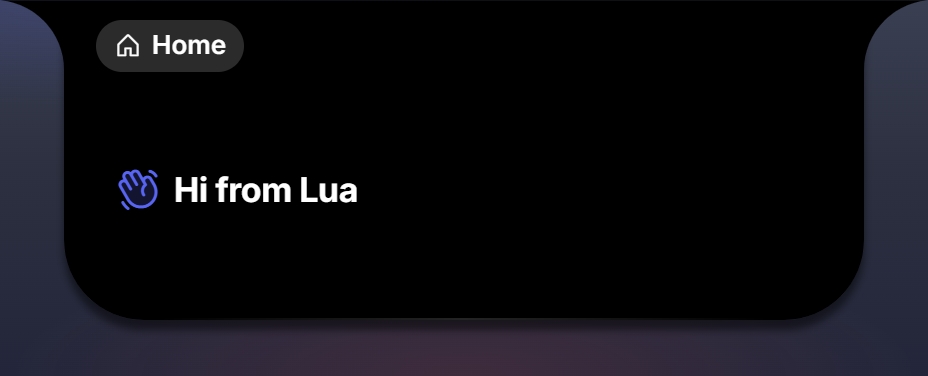
That is a working mod. The entry file creates objects and connects handlers; it returns nothing. It is typed: --!strict and the fields_t annotation let Perch Studio check every ref and prop before the file is saved. Put the widget on a page under Settings, Layout, and it renders.
Where the pieces live
- my-mod/
- mod.jsonidentity, version, scopes, palette, themes
- main.luauthe entry file: widgets, settings, signal connections
- displays.luauconvention: the display functions, required by main.luau
- preview.luauoptional: the Workshop thumbnail
- glyphs/optional .svg files used by ui.shape
Only mod.json and the entry file are required. Every Luau file in a package is a .luau file.
The tools
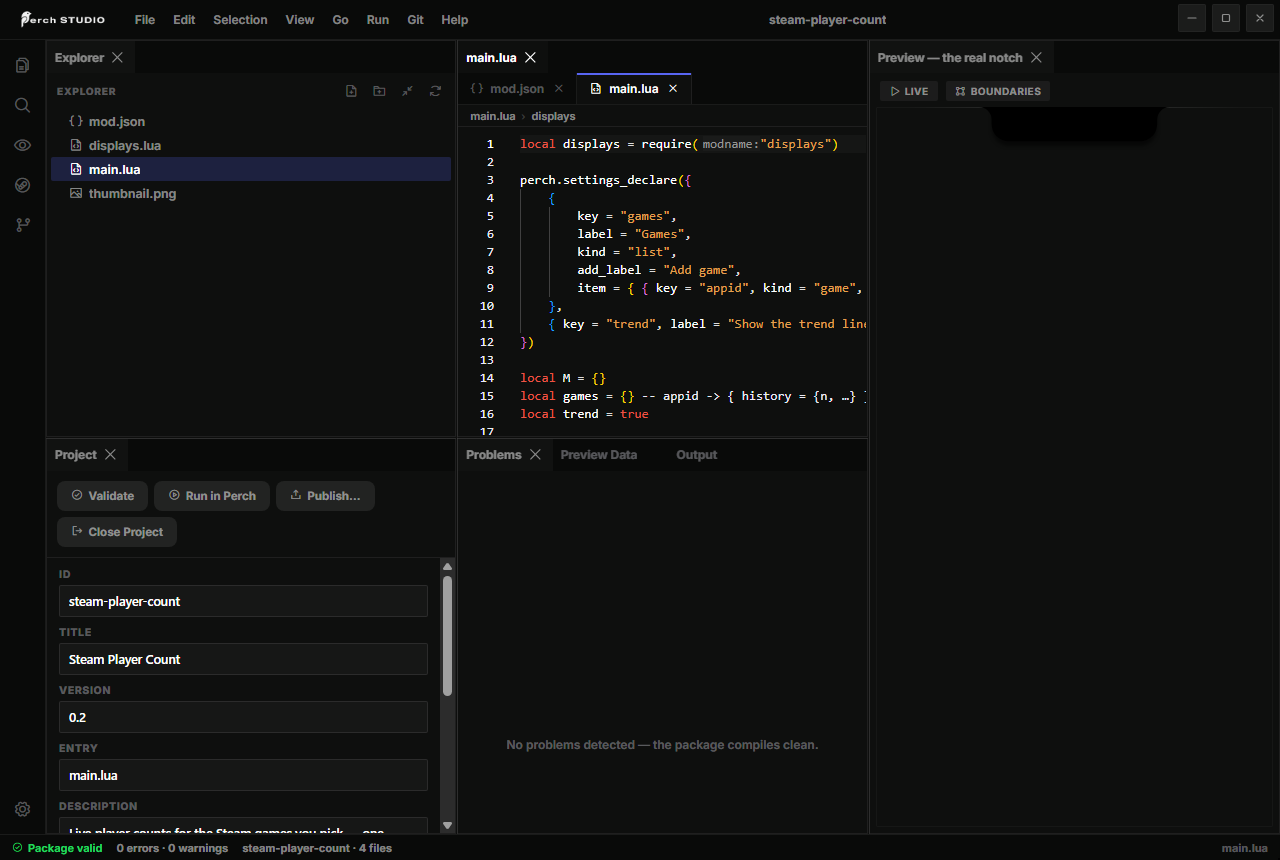
Perch Studio (free on Steam) is the editor: a new-package template, completions and type checking for the whole API, validation as you type, a live preview, Run in Perch to load the package into your running Perch, and publishing to the Workshop. See Testing and publishing.
The Perch MCP server, shipped with Studio, plugs Perch’s vocabulary, these docs and the builtin packages into Claude Code, Claude Desktop, Cursor or any MCP client, and drives the Studio editor live. See AI assistants.
What a mod cannot do
- Animation. Entrance, exit, reflow and surface morphs are runtime-owned. Your tree declares structure; motion is free and untouchable.
- Per-frame work. There is no tick. Timers floor at 250 ms; live time comes from the view-side
ui.tickerandui.gauge; aui.drawcanvas repaints only when its data changes. - The filesystem, arbitrary processes, raw input.
perch.openlaunches https URLs, Steam games and installed apps the user picked; nothing else executes. Inputs reach a mod as taps, clicks, wheel notches and scrubs on its own nodes. - Other mods and the core chrome. One Luau state per mod; a crash retracts your widgets and touches nothing else.
Reading order
- Quick start: a widget in the notch in five minutes.
- The package: every
mod.jsonfield. - Runtime and lifecycle: what runs when.
- Widgets and Transients.
- Displays and Components.
- Settings, Themes, Scopes.
- Testing and publishing, then A complete mod.
The Lua API section is the reference you keep open while writing.