
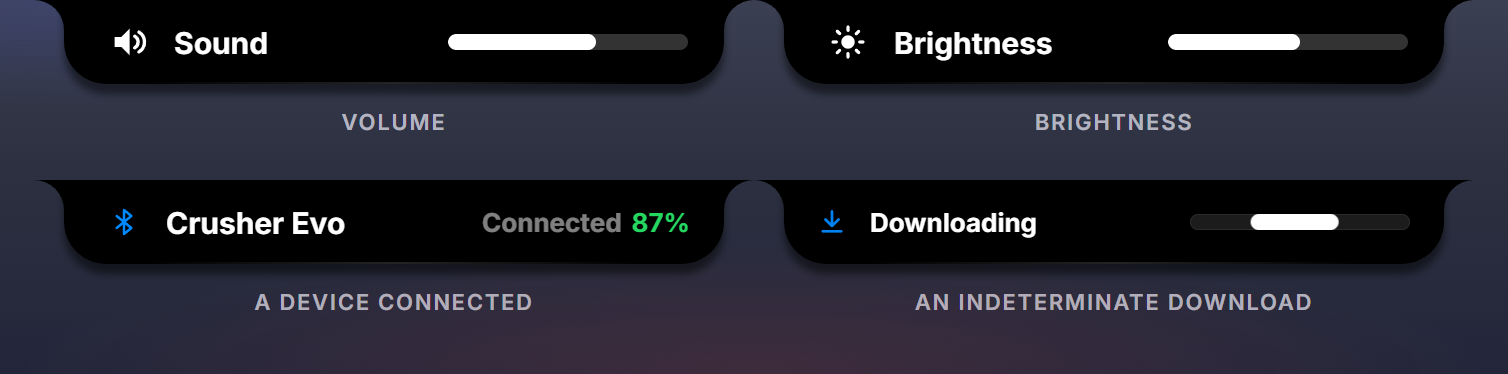
A transient is a widget whose job is to appear for a couple of seconds and leave. Perch’s own volume and brightness HUDs, “AirPods connected”, “Download finished” and the incoming-call banner are transients: ordinary widgets with urgency = urgency.transient and a surface.transient placement.
--!strict
local deploy = widget.new { id = "deploy", label = "Deploy finished", urgency = urgency.transient,
  fields = { ok = field.boolean(true), icon = field.string(""), title = field.string(""), sub = field.string("") } }
deploy:place(surface.transient, displays.hud, { timeout_ms = 3500 })
deploy:register()How they behave
- They lead alone. A present transient takes the whole notch; ambients and events hide until it retracts and come back by themselves.
- They outrank everything, including the Priority Stack order, and cannot be dragged below the divider.
- They show even while Perch is hiding for a game.
- They retract by timeout. Each
w:present(data)starts or restarts the placement’stimeout_ms;w:pushupdates the HUD without restarting it. Withtimeout_ms = 0your mod callsw:retire()itself. - Envelope. The default size is
wide(330 by 42);envelope = ui.envelope.tallgives the 265 by 60 call-style pill.
Raising one
A transient is for a moment your mod knows about and Perch does not: a deploy that finished, a match that started, a build that broke.
--!strict
type deploy_t = { id: string, state: string, project: string, seconds: number }
local last_id: string = ""

local function check()
  perch.net.http.get("https://api.example.com/deploys/latest", function(res: http_response_t?, err: string?)
    local d: deploy_t? = if res and res.status == 200 then perch.json.decode(res.body) else nil
    if d and d.id ~= last_id then
      last_id = d.id
      deploy:present({
        ok = d.state == "success",
        icon = if d.state == "success" then "check_circle" else "warning_circle",
        title = if d.state == "success" then "Deploy finished" else "Deploy failed",
        sub = d.project .. " in " .. d.seconds .. "s",
      })
    end
  end)
end
The HUD display:
--!strict
-- displays.luau
export type fields_t = { ok: field_ref_t<boolean>, icon: field_ref_t<string>, title: field_ref_t<string>, sub: field_ref_t<string> }

local function hud(f: fields_t): node_t
  return ui.row { gap = ui.gap.s, align = ui.align.center, pad = { 0, 14, 0, 12 },
    ui.icon { glyph = f.icon, set = "duotone", size = ui.size.s, color = ui.color.live,
      style = { f.ok:is_false():set { color = ui.color.red } } },
    ui.text { text = f.title, role = ui.role.title, flex = 0 },
    ui.text { text = f.sub, role = ui.role.label, color = ui.color.half, flex = 1, align = ui.align.finish },
  }
end

return { hud = hud }
Timeouts Perch uses
| Kind of moment | timeout_ms |
|---|---|
| a value changing under the user’s hand (volume, brightness) | 2000 |
| something connected or was set | 2600 to 3000 |
| something finished | 3500 |
| something that needs reading (a message, a battery warning) | 5000 |
Mod-owned retraction
With timeout_ms = 0 the HUD stays until you retire it. Use it when the moment has a real end you know about, and always retire it: a transient that never leaves holds the notch.
w:place(surface.transient, displays.hud, { timeout_ms = 0 })

local hide = timer.new(4000, { once = true })
hide.on_fire:connect(function() w:retire() end)
A transient can take input: the builtin incoming-call pill carries two buttons whose on_click functions accept or decline the ring and retire the pill.
A widget with another urgency may also place surface.transient; it then has a popup form that self-retracts but competes as its own urgency rather than leading alone. If something deserves to interrupt, make it a transient widget of its own.