
A widget has an id, a label, an urgency, a field schema and a set of surfaces, each with its own display tree. Perch decides at every moment which present widgets get which places; your mod says what exists and when it has something to show. The handle’s verbs, arguments and errors are on Widgets in the API section; this page is about what they mean.
local media = widget.new { id = "media", label = "Media", urgency = urgency.ambient,
  fields = { title = field.string(""), artist = field.string(""), art_url = field.image(), playing = field.boolean(false), bars = field.numbers() } }
media:preview { title = "Blue Monday", artist = "New Order", playing = true }
media:place(surface.notch_primary, displays.pill)
media:place(surface.notch_secondary, displays.chip)
media:place(surface.page, displays.card)
media:register()
The fields
fields is the contract between your logic and your displays. Each key is a field.* constructor; the handle exposes the same keys as typed refs, and a display function receives that table as f. Export a fields_t type from displays.luau that names one ref per key:
--!strict
-- displays.luau
export type fields_t = { art_url: field_ref_t<string>, title: field_ref_t<string> }

local function pill(f: fields_t): node_t
  return ui.row { gap = 8,
    ui.image { src = f.art_url, w = 25, h = 25, radius = 7 },
    ui.text { text = f.title, size = 13 },
  }
end

return { pill = pill }
A ref that does not exist is a type error in Studio and a nil the builder refuses at load. Every present, push and preview is checked against the schema. A provider’s event is usually wider than your schema, so copy the fields you declared rather than pushing the event table through. Two widgets that show the same data can share one schema by declaring it in a function and calling it twice.
The five surfaces
| Surface | Where it appears | Size class | When Perch uses it |
|---|---|---|---|
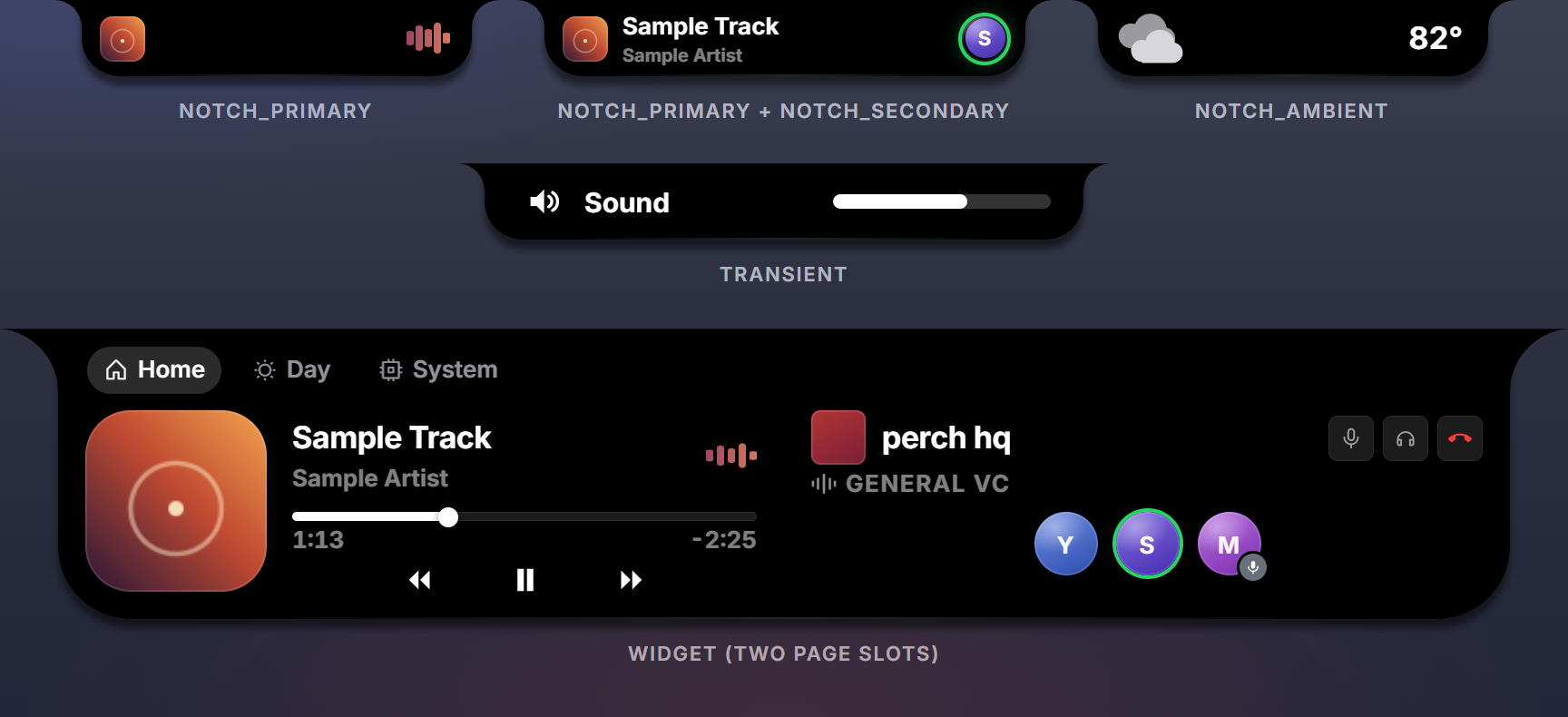
surface.notch_primary | the collapsed notch pill | compact (215 by 42) | the widget leads the notch |
surface.notch_secondary | a chip at the right end of another widget’s pill | compact | the widget is present while someone else leads |
surface.notch_ambient | the collapsed notch, as an idle filler | compact | nothing more urgent is present |
surface.page | a card in a page slot of the expanded panel | 370 by 100 | the user placed the widget on a page |
surface.transient | a popup pill that shows, then retracts | wide (330 by 42) | the widget raised presence; retracts after timeout_ms |
Place only the surfaces you can render well. A page-only widget places surface.page; a volume HUD places surface.transient; a media player places notch_primary, notch_secondary and page.
notch_primary or notch_ambient?
Both are compact pills in the collapsed notch. The difference is what the pill claims. notch_primary says “something is going on right now”: the widget competes for the notch on priority whenever it is present (media playing, a call, a download). notch_ambient says “I am always here; show me when nothing else is”: the widget fills the notch only when it would otherwise be empty (the weather, the time, a ticker).
Perch takes the first fill form a widget has, in the order notch_primary, notch_ambient, transient, so a widget that places both always leads with notch_primary. Pick one.
Placement options
| Option | Meaning |
|---|---|
envelope | override the size class: ui.envelope.wide or ui.envelope.tall (265 by 60, the incoming-call pill) |
with | surface.notch_secondary only: the one leader this chip may sit beside |
timeout_ms | surface.transient only: the auto-retract delay, default 2200; 0 means you retire it |
w:place(surface.notch_secondary, displays.chip, { with = "media" })
w:place(surface.transient, displays.hud, { timeout_ms = 3500, envelope = ui.envelope.tall })
Who leads the notch
When the notch is collapsed, Perch sorts the present widgets and picks a leader: the first one with a full-width surface. The leader’s tree fills the pill. If the leader is a transient it shows alone; otherwise one more widget may join: the next in priority with a notch_secondary placement (whose with, if set, names this leader) seats its chip at the right end. One leader, at most one secondary.

The sort order:
- urgency:
transientbeforeeventbeforeambient; - the user’s Priority Stack order (Settings, Layout), initially the registration order;
- the most recently present widget first, as a tiebreak.
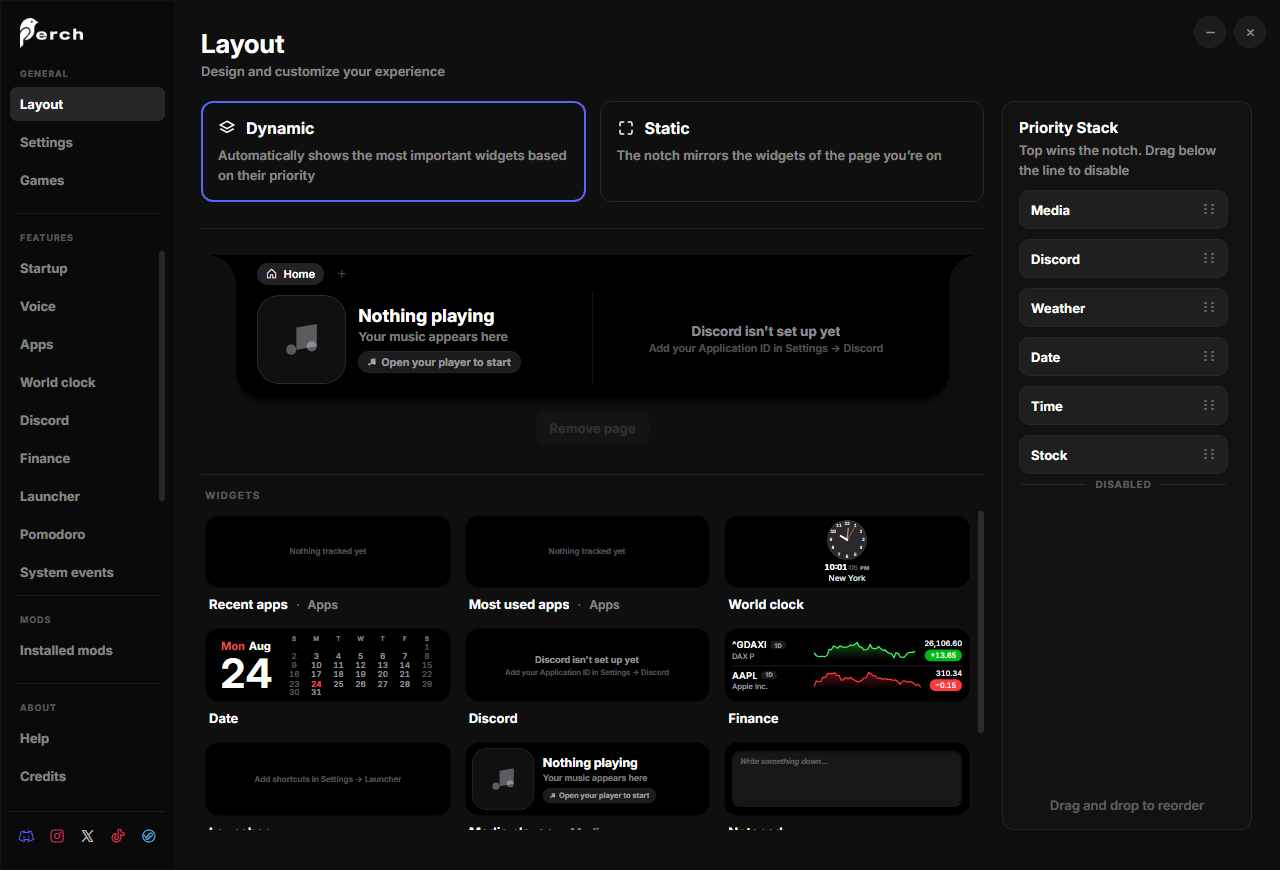
A widget dragged below the divider in the Priority Stack never joins the collapsed notch; its page placements still work. Transients cannot be disabled.
Single and dual forms
The leader’s notch_primary tree renders in one of two forms: single (the widget has the pill to itself) or dual (a secondary chip is seated, so the pill is condensed). Mark nodes with show = ui.show.single or show = ui.show.dual and Perch shows and hides them as the situation changes. The media pill spreads its visualizer when single and tucks it next to the art when dual:
local function pill(f: fields_t): node_t
  return ui.row { align = ui.align.center, gap = 8,
    ui.image { src = f.art_url, w = 26, h = 26, radius = 7 },
    ui.spacer { show = ui.show.single },
    ui.visualizer { levels = f.bars, bars = 6, h = 20 },
  }
end
Static mode
In static mode the notch mirrors the active page: the left page widget’s package puts its notch widget in the lead and the right page widget’s package seats its chip. Register the pill widget before the card widget in the entry file so it is the package’s notch counterpart.
Pages and slots
Hovering the notch expands a panel with a page bar. Each page has a left slot and a right slot; the user drags widgets into them from the gallery. Only widgets with a surface.page placement are in the gallery. Pages are the user’s; a mod never declares them.
One page tree serves both slots. When a card should differ by side, mark nodes with show = "page_left" or show = "page_right":
ui.row { gap = ui.gap.m,
  ui.image { src = f.art_url, w = 100, h = 100, radius = 18, show = "page_left" },
  ui.column { flex = 1, ... },
  ui.image { src = f.art_url, w = 100, h = 100, radius = 18, show = "page_right" },
}
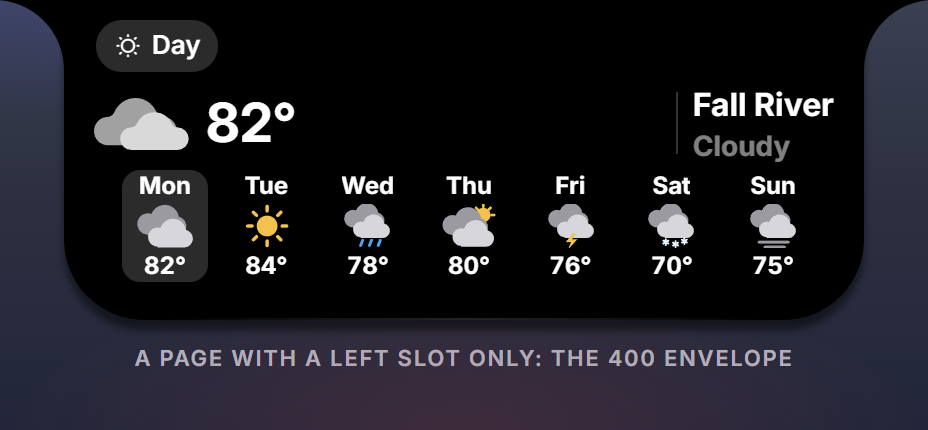
The slot is 370 by 100 design pixels; the panel is 800 by 160 with both slots filled and 400 by 160 with a left slot only.

w.on_visibility fires when the card enters or leaves the screen. Poll expensive data only while visible.
Urgency
urgency | Use for | Behaviour |
|---|---|---|
ambient | things that are true for a while: media, a call, a clock | competes politely; below the divider it stays off the notch |
event | something that just happened: a notification, a download finishing | outranks ambients while present |
transient | a momentary popup: volume, a device connecting | leads alone, outranks everything, cannot be disabled, retracts by timeout |
Presence
A registered widget shows nothing until your Luau gives it presence:
media:present({ title = ..., artist = ..., art_url = ... })  -- appears
media:push({ playing = false })                             -- updates
media:retire()                                              -- leaves
Presence is a property of the widget, not of a surface: a present widget appears on every surface it has that Perch can currently give it, from one payload. Perch animates every entrance, exit and morph between surfaces.
Dynamic widgets
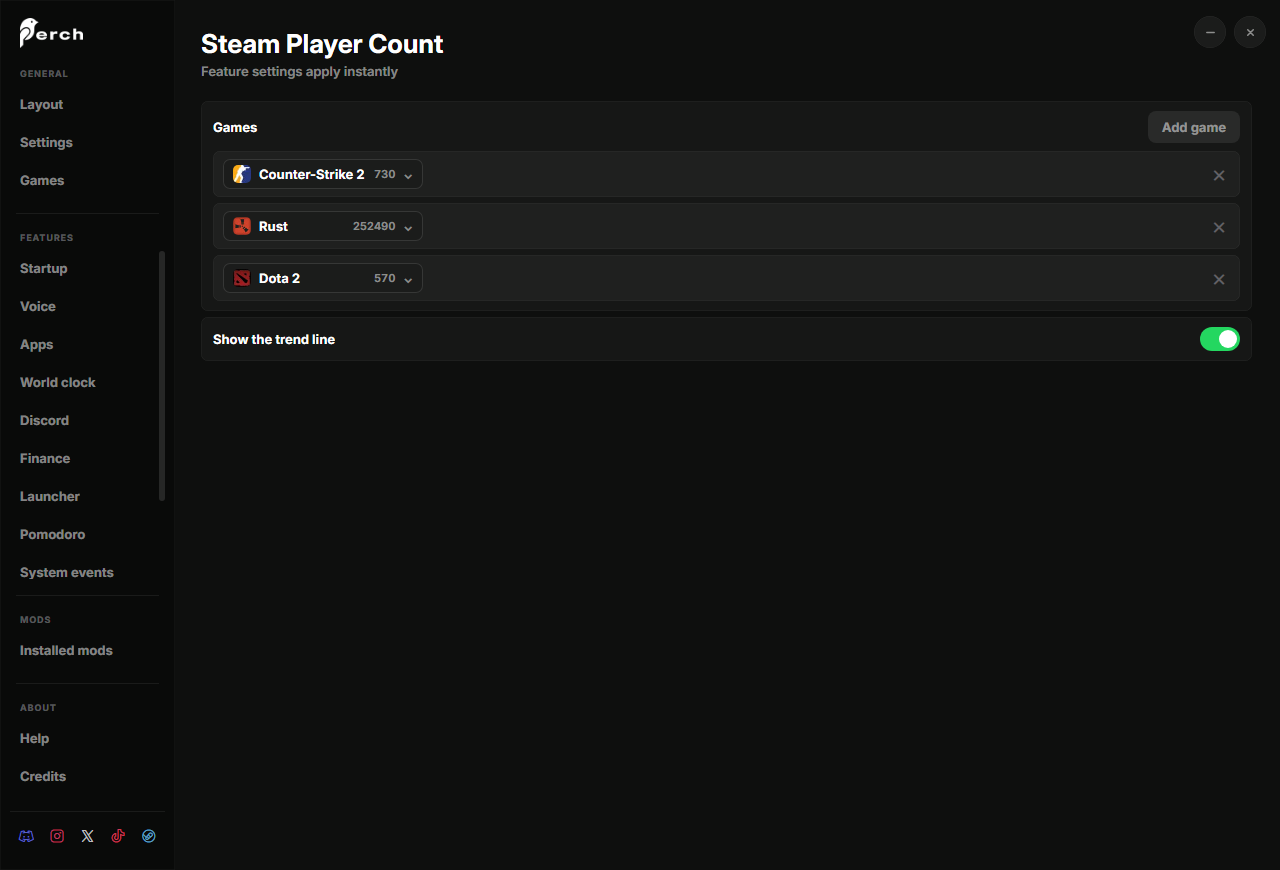
Handles can be created and removed at any time: one per game in a settings list, one per city, one per tracked repository.
:register()on an existing id is an upsert;:relabel(name)renames in place; page slots and stack rows keep pointing at the widget.:remove()retracts the widget, drops it from the gallery and the stack, and empties any page slot that named it.- Ids are namespaced per mod, so two mods can both have a
card. - Perch remembers only what the user did with a dynamic widget (its slot, its stack position). Re-create dynamic widgets on every boot from your own state.
The pattern is a diff in perch.on_configure:
type game_t = { w: widget_t<displays.fields_t>, data: payload_t }
type settings_t = { games: { { appid: string? } }? }

local games: { [string]: game_t } = {}

perch.on_configure:connect(function(s: settings_t)
  local want: { [string]: boolean } = {}
  for _, row in ipairs(s.games or {}) do
    if row.appid and row.appid ~= "" then want[row.appid] = true end
  end
  for appid in pairs(want) do
    if not games[appid] then add_game(appid) end   -- widget.new, preview, place, register, present
  end
  for appid, g in pairs(games) do
    if not want[appid] then g.w:remove(); games[appid] = nil end
  end
end)
Previews
:preview{...} is demo data for the widgets gallery under Settings, Layout: the tile renders your real tree over it, so the widget never shows an empty state there. The page-slot preview above the gallery is live, like the notch. Give every bound field a plausible value; ui.asset("preview/cover.png") embeds a package image (png, jpg, webp or svg, at most 600 KB). The seed is validated like a push and must be set before :register().
w:preview { game = "Counter-Strike 2", count_text = "1,436,921", chart = { points = { 1, 8, 3, 4, 2, 8, 4, 12 }, up = true } }
w:register()
A ui.draw node paints for the seed as well. The Workshop thumbnail is a separate thing, written in preview.luau.