
Perch Studio is the whole loop: write, validate, run, read the log, publish. Nothing to configure on the command line.
Validate
Studio validates the open package continuously: the manifest against the schema, every Luau file for syntax and types, every display tree against the same validator Perch runs at load. Problems show in the Problems panel with the file, the node path and the message.
Completions, hovers and type errors come from luau-lsp over perch.d.luau, the same declarations the runtime implements. Every file of a mod opens with --!strict; Studio’s template writes it and the Problems panel warns on a file without it. Annotate a display as function(f: fields_t): node_t, a handler as function(ctx: input_context_t), a painter as function(g: painter_t, d, w: number, h: number), and a provider payload with its named type.
A validation error reads like this:
displays.luau: card.children[2].children[1]: component 'text' has no prop 'colour'The path is exact and 1-based; repeater templates appear as item. Most mistakes never get that far: a builder raises on the line that wrote it, and a push with an undeclared key raises at the call.
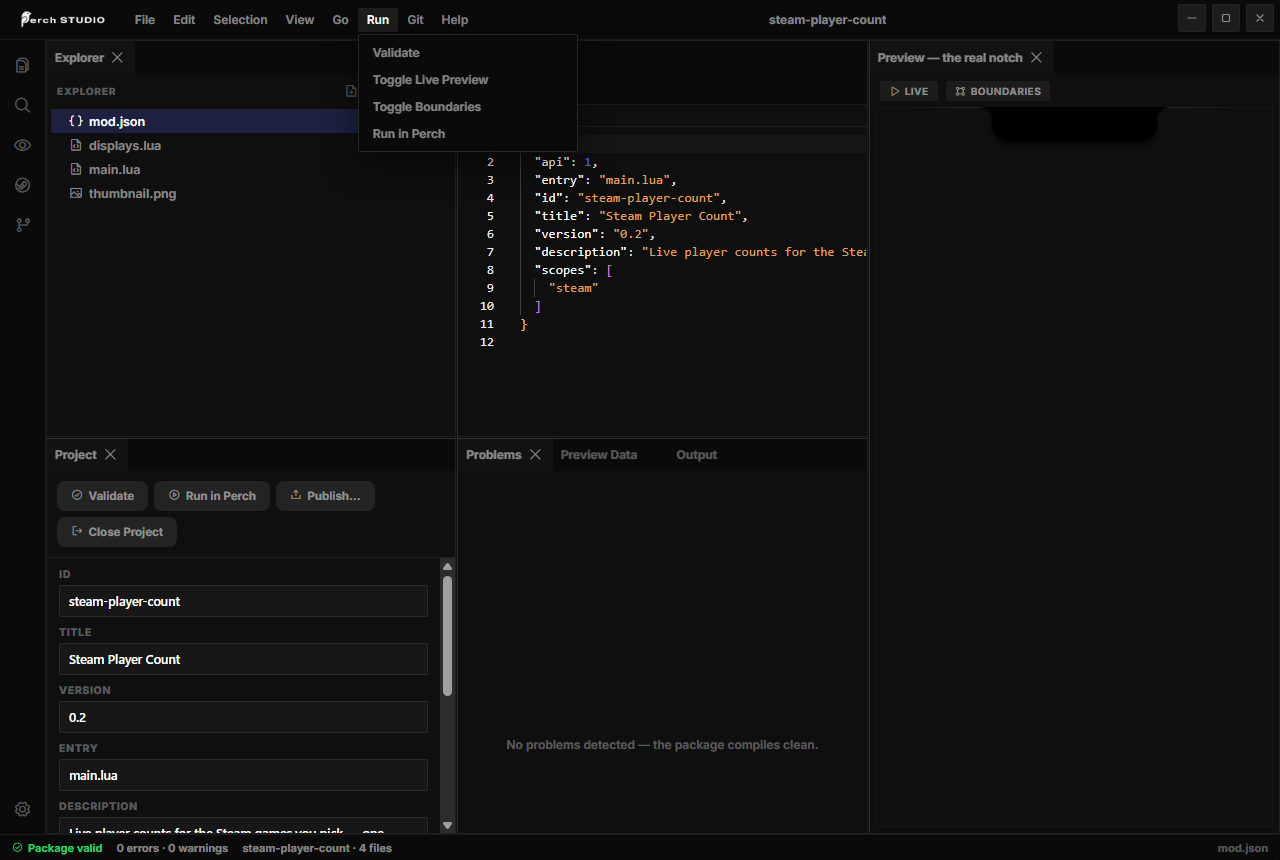
Run in Perch
Run in Perch loads the package into your running Perch and opens the mod log window, which shows only your mod’s lines:
| Line | Meaning |
|---|---|
failed to load: <error> | the package was skipped; the same error is on its card under Installed mods |
widget register rejected: <error> | a registration Perch refused |
<handler> failed: <error> | a handler, an input function or a callback raised; the mod keeps running |
disabled after 3 budget strikes | three consecutive over-budget calls |
mod[<id>]: <text> | your own perch.log lines |
Once loaded, the widget is in the gallery under Settings, Layout. Drag it onto a page to see the page tree; watch the notch for the notch_primary tree.
The live preview
Studio’s preview renders your trees with the package’s real logic running in the same sandbox: perch.on_start fires, timers fire, w:push updates the stage, a click on a button runs its on_click. The Boundaries toggle outlines every node with its component type. What it cannot show is arbitration against other widgets and the notch’s own motion; that is what Run in Perch is for.
Checking each surface
- page: place the widget on a page and hover the notch;
- notch_primary: dynamic mode, with the widget present and nothing more urgent around; or static mode with its card on the active page’s left slot;
- notch_secondary: have a higher-priority widget lead (start music) while yours is present;
- transient: raise it; it retracts after
timeout_ms; - the gallery tile: renders the
pagetree over yourw:preview{...}seed.
The Workshop thumbnail
The item’s picture is your own package, rendered. Add a preview script and name it in the manifest:
--!strict
local displays = require("displays")
return {
  surface = surface.page,        -- which chrome frames it
  fields = displays.schema(),    -- the schema the display binds against
  display = displays.card,       -- a display function, or an inline tree
  data = { game = "Team Fortress 2", count_text = "1,436,921" },
}
At publish, Studio runs the script with no scopes granted and renders the tree through the real renderer, in that surface’s chrome, on the standard Perch backdrop. Without a preview in mod.json the item gets the Perch logo card. Keep the demo data honest: it is the first thing a subscriber sees.
Publishing
Publish in Studio opens the Workshop Center. Studio signs in with your Steam account and creates the item, or updates the one whose id it stored next to the package. What uploads is one file, mod.pak: your .luau files as source, plus the manifest, glyphs, sounds and preview images. Studio compiles each file while packing as a syntax check and stops on a file that does not parse.
Before the first publish:
mod.jsonhas a realtitle,description,authorandversion, and"api": 3.scopeslists only what the mod uses. The item page shows every scope with a plain-language line.- The package loads clean in Run in Perch with an empty log window.
preview.luaurenders the thumbnail you want, and everyw:preview{...}seed makes its gallery tile look like the real thing.
Each later version is an update to the same item; subscribers receive it through Steam and Perch hot-loads it while running.
The Permissions section is policed
Reading the log outside Studio
Perch’s log file is %APPDATA%\perch\perch\logs\perch.log; mod lines are prefixed mod[<id>]. The card under Settings, Installed mods shows a failed mod’s load error verbatim.